Features
Twelve features, and what each one does on a real day.
This is the whole of FleetDesk, dispatch software for tour operators. Every screen on this page is in the trial the moment you open it, on the desk and on a phone at the kerbside, and every one of them is on the cheapest plan.
Read it in the order the work arrives: your tours, the enquiry, the quote, the booking, the day, the vehicle and driver, the people who ride, and the money at the end of the month.
- 01
Tours
Your tours, under your names, with the duration, seat capacity, price and deposit you actually charge. Everything else in FleetDesk points back at this list, so a booking carries the name you gave it rather than a generic slot you have to explain to your own staff.
app.fleetdesk.co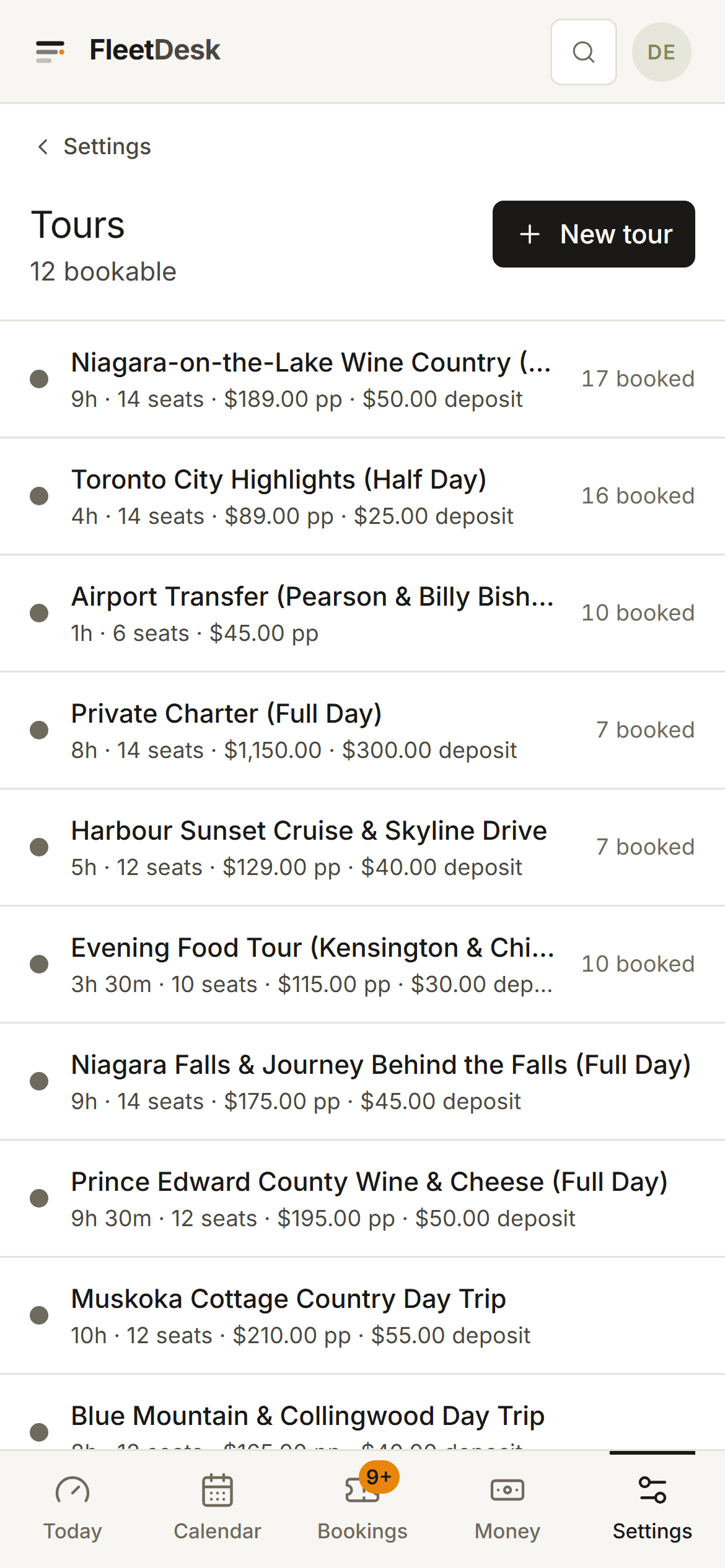
- 02
Enquiries
Someone asked about a date. It lands in one inbox with the thread attached, it stays visibly unanswered until you deal with it, and when it turns into work you convert it to a booking in one action. It is an inbox, not a drip-sequence CRM, and it does not write anything on your behalf.
- 03
Quotes
Send a link instead of a paragraph. The page carries your name, your logo and your colour. The trip, the date, the party size, the pickup, what is included, the price and the deposit, with one button on it. When they accept, the booking moves to confirmed and they see your payment instructions. FleetDesk appears nowhere above a line of small print at the bottom.
- 04
Bookings
The core record and the one screen you live in. Who, which tour, what date, how many, what they are paying, what they have paid, what is still owed, and every note your driver needs. Add-ons are plain line items rather than a subsystem you have to learn.
app.fleetdesk.co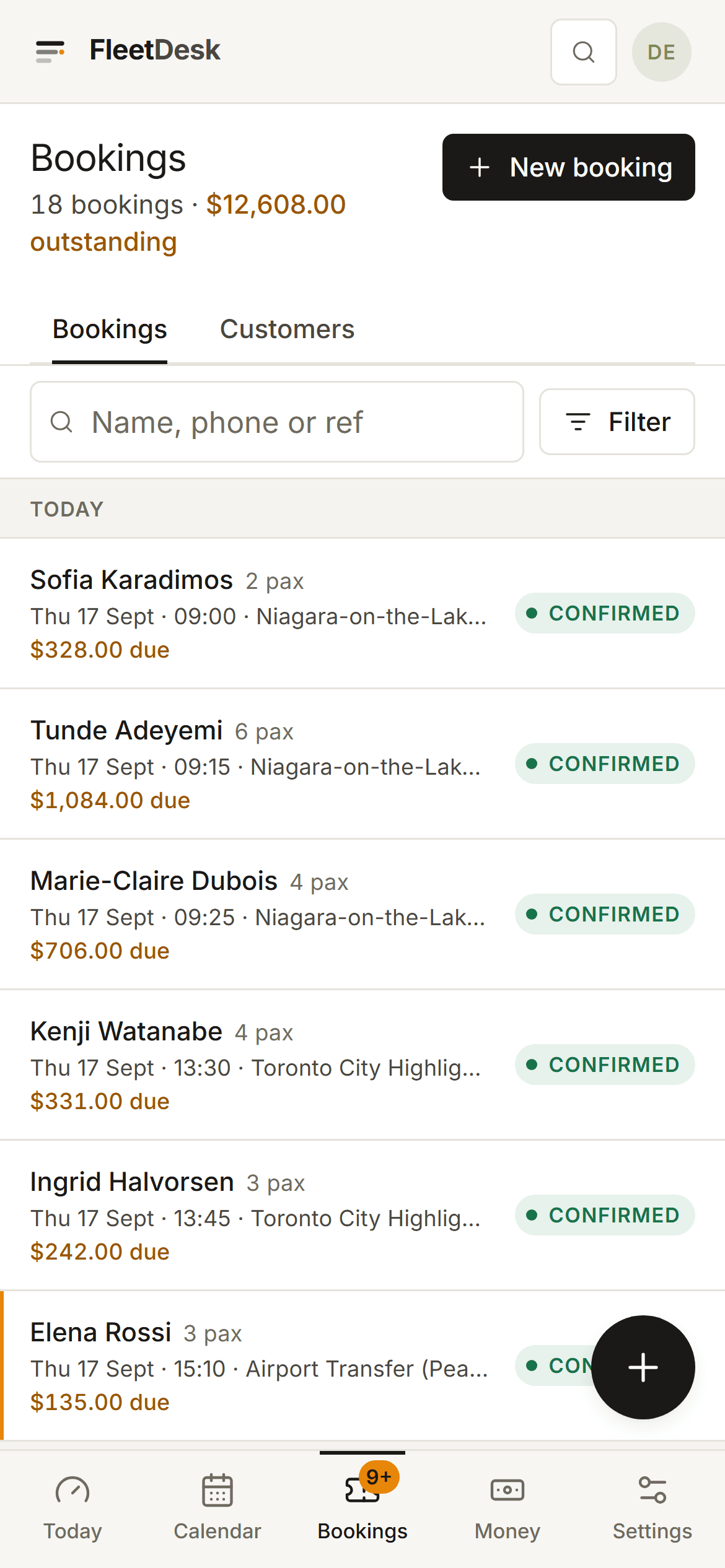
- 05
Calendar
The week at a glance, zoomable. Month and week read as a calendar; the day zooms into the dispatch board. Today is one screen rather than two tabs that can disagree with each other, so when a customer calls to move a pickup you are looking at the answer already.
- 06
Dispatch
Columns are vehicles, the unassigned groups pile up in one high-visibility lane on the left and never hide, and you drag work onto a van and a driver. Several bookings can share one vehicle. If you run more than one vehicle, this is the screen you bought the software for.
app.fleetdesk.co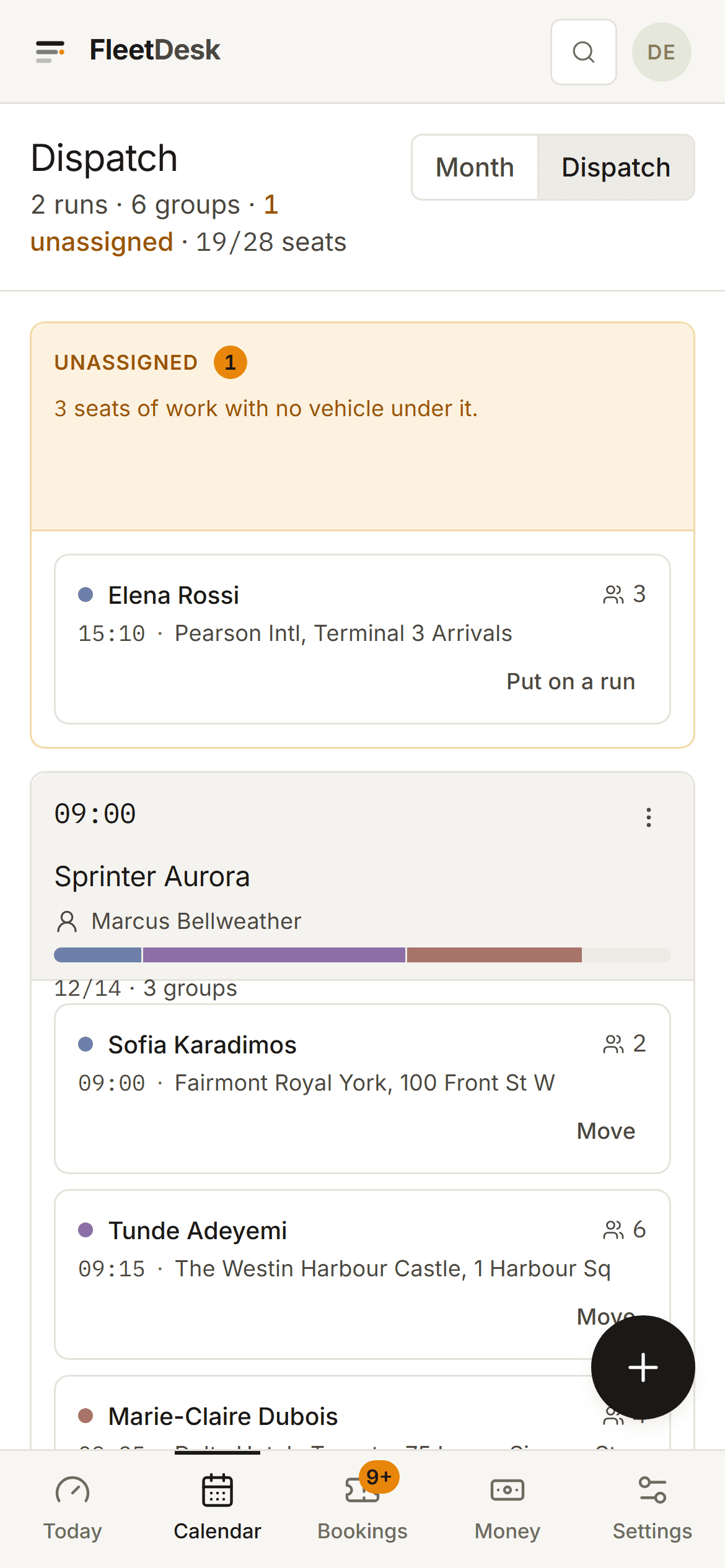
- 07
Fleet & drivers
Vehicles with their seat counts, drivers with their contact details, and the link between the two. Configured once and then mostly left alone, which is why it lives in Settings rather than taking up a tab.
- 08
Driver run sheets
Each run gets a tokenised link. The driver opens it on their phone and sees the pickup, the time, the party, the stops and the notes. No app to install, no account to create, no password to reset at 6am. It prints, too, for the drivers who would rather have paper.
- 09
Guest tickets
One clean page per booking for the guest: what they booked, when and where to be, what to bring, who to call. It carries your branding, not ours. It costs you nothing to send and it is the last thing a customer sees before they meet you.
- 10
Customers
Name, phone, email, and their history with you. Enough to recognise a repeat customer and to find the person who called you last April, and deliberately not a sales pipeline.
app.fleetdesk.co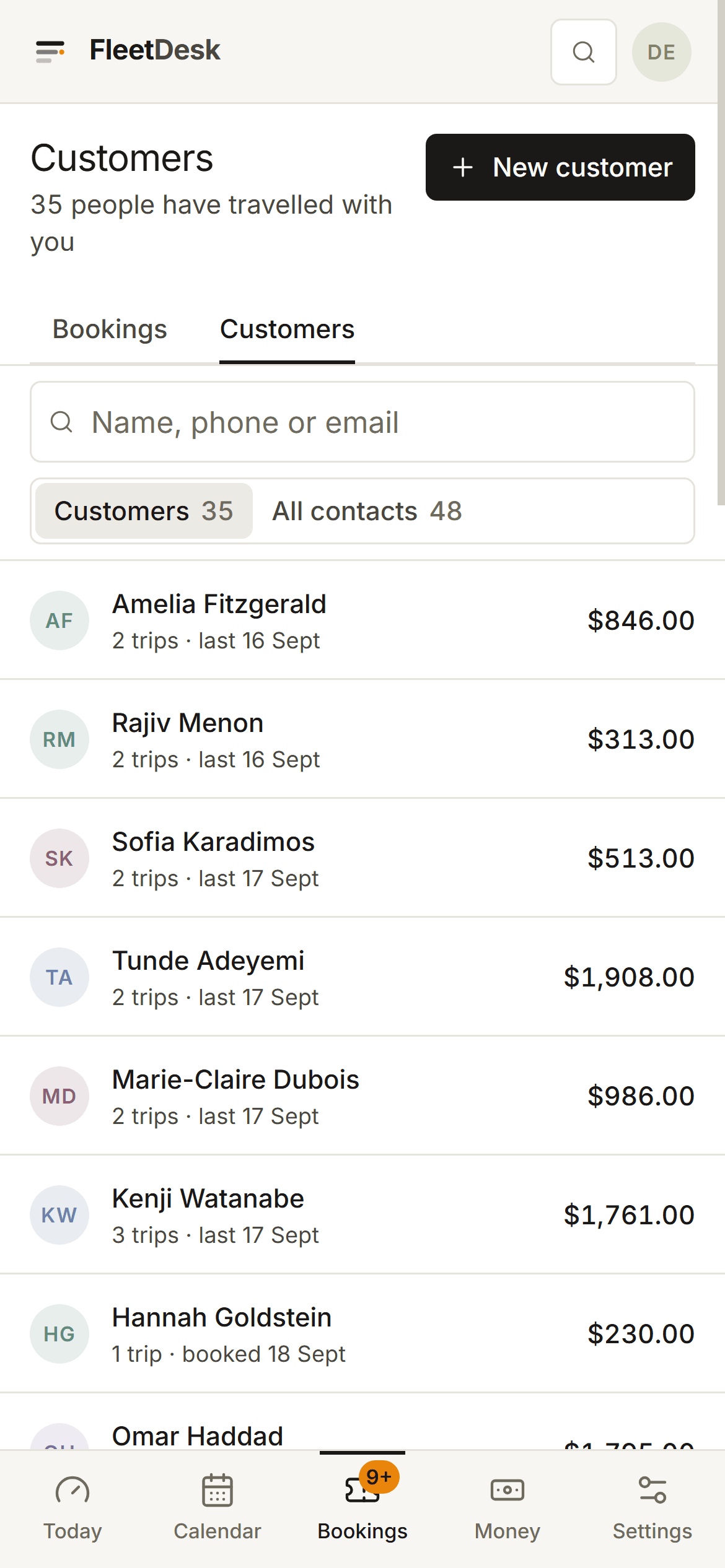
- 11
Money
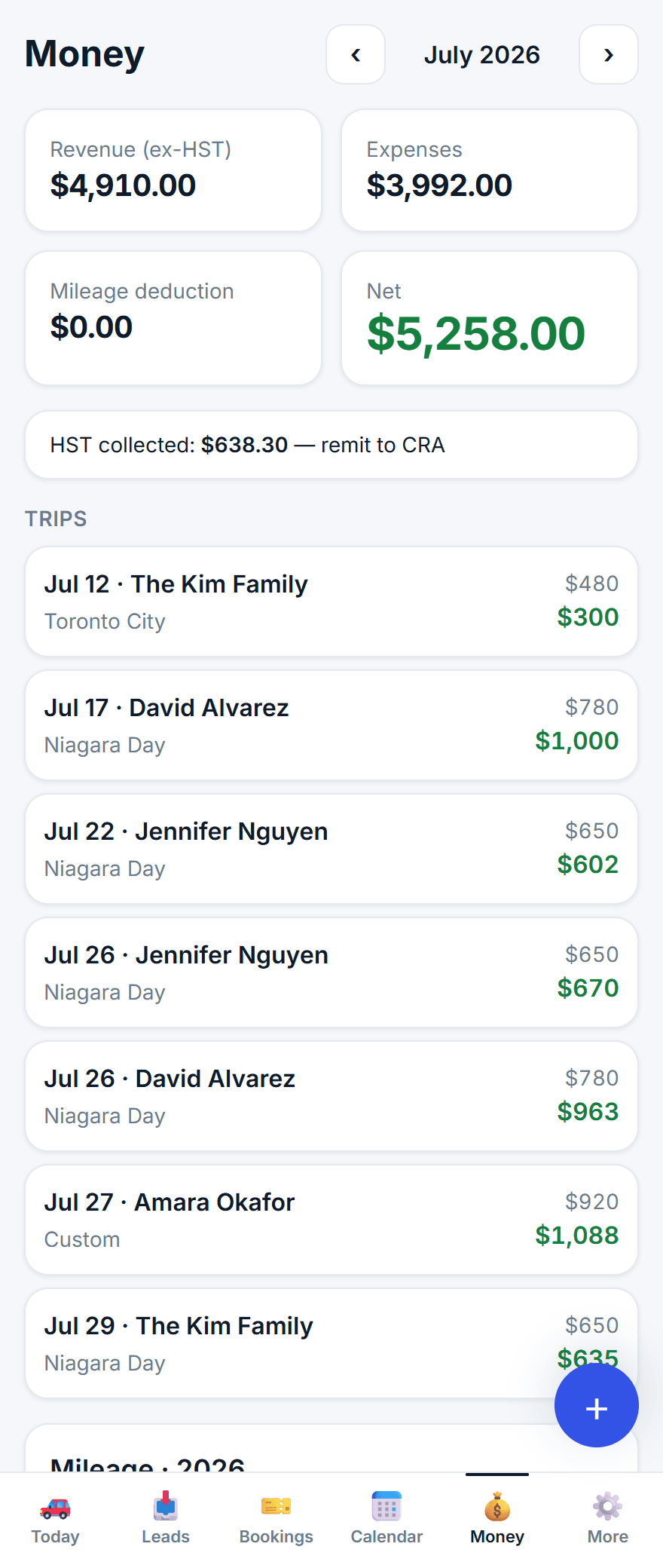
A plain ledger: what you have earned, what you have collected, what is still outstanding and what the day cost you, in your own currency. Enough to answer "how did August actually go" without opening a spreadsheet, and plain enough that your accountant does not have to argue with it.
app.fleetdesk.co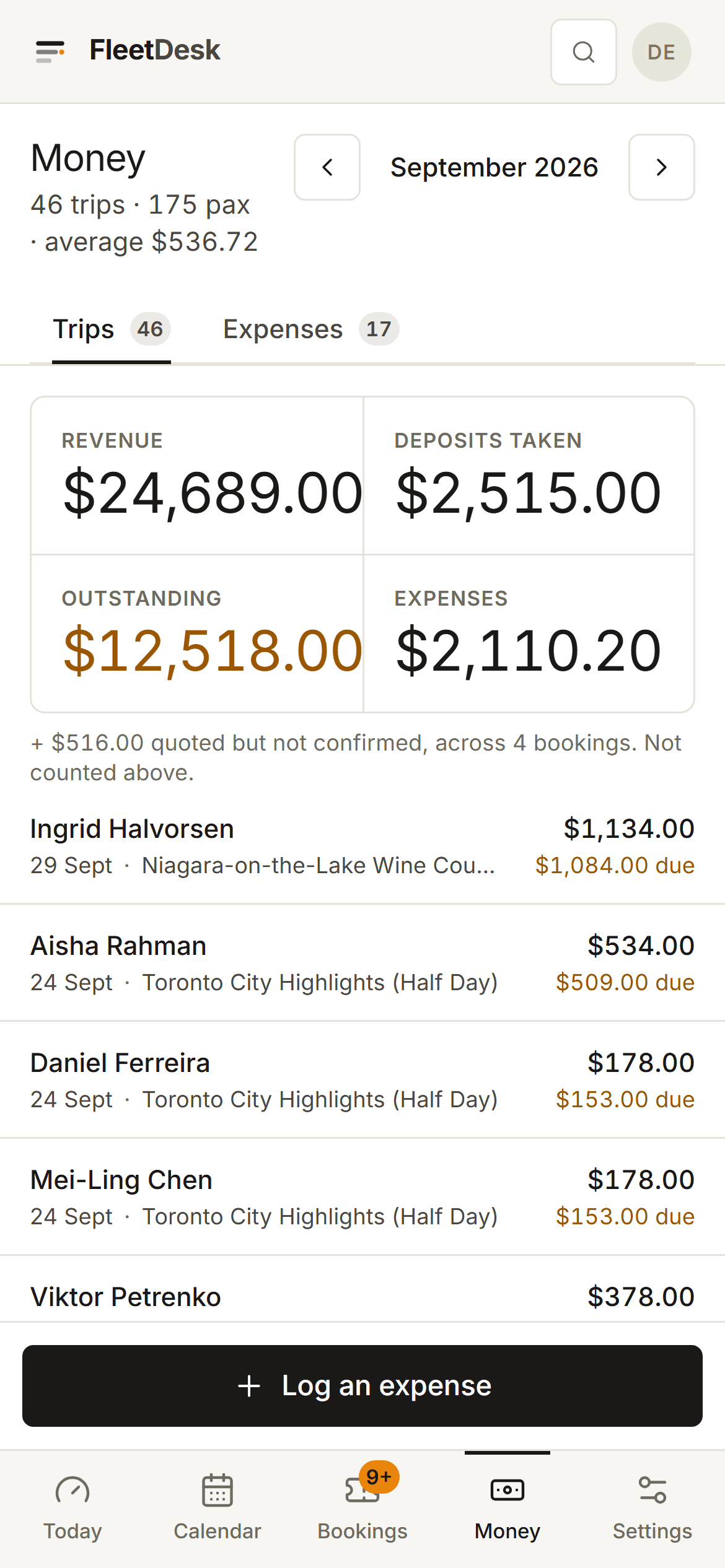
- 12
Reminders
The trip is coming up and there is money outstanding. FleetDesk emails the customer before the date with the amount still owed and your own payment instructions. Chasing deposits and balances is the single most-named daily annoyance in this business, and this is the part of FleetDesk that quietly pays for the subscription.


What your customer sees
Three pages with your name on them, not ours.
The quote, the driver's run sheet and the guest's ticket are the parts of your operation people actually judge you on. They open on a phone, they carry your name, your logo and your colour, and FleetDesk is named once, in small print, at the bottom.
The quote
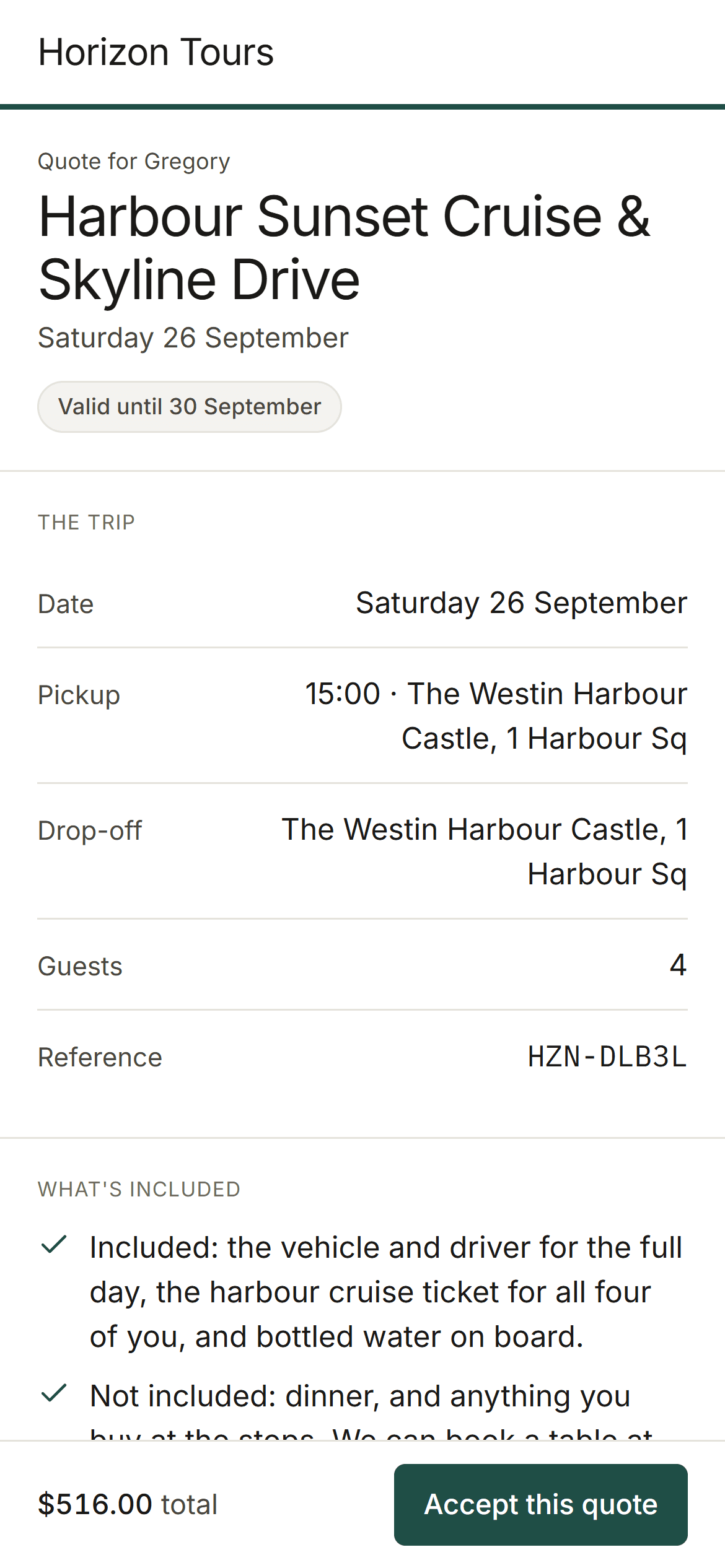
The trip, the date, the pickup, what is and is not included, the price and the deposit, with one button on it. They accept from a phone on a sofa, the booking confirms itself, and your payment instructions appear.
The run sheet
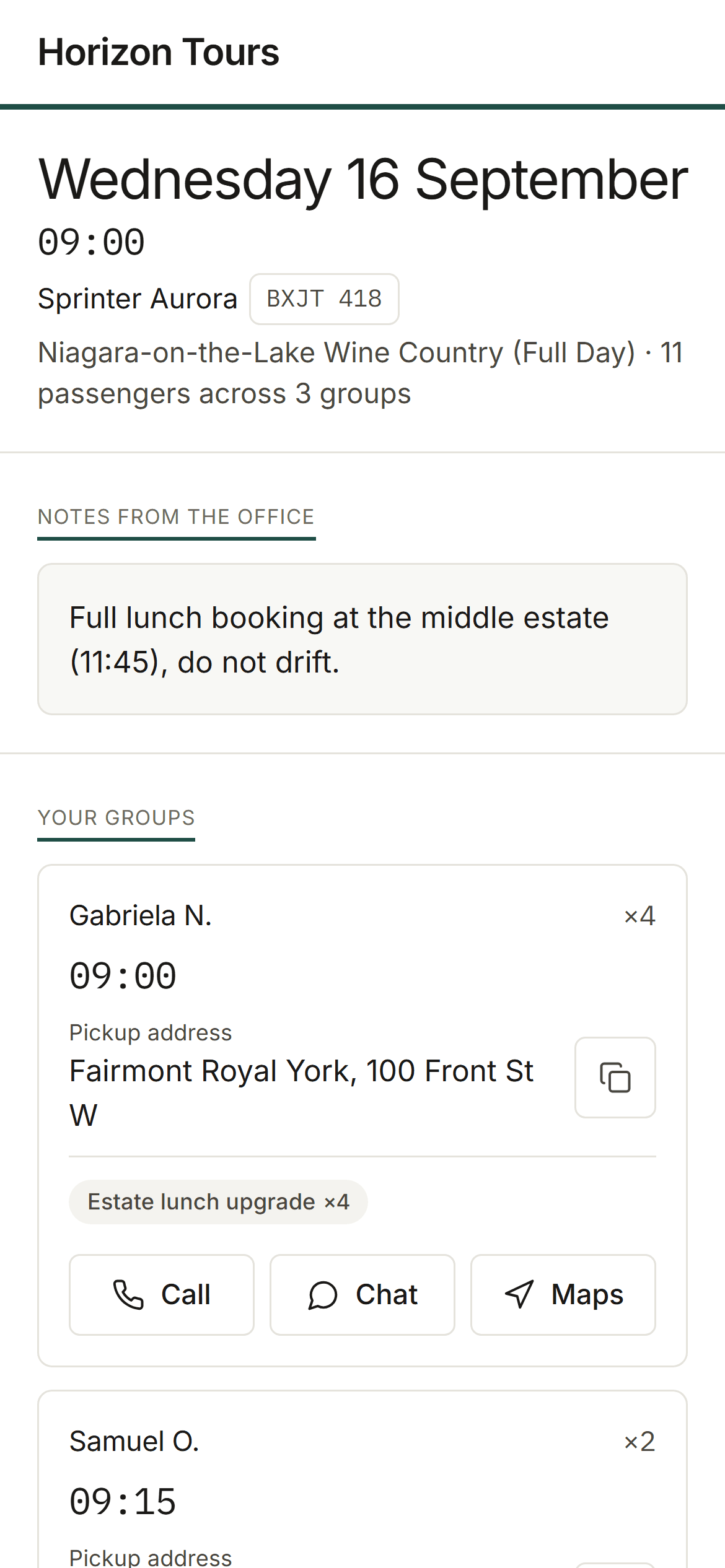
A link your driver opens on their phone. Pickups in order, times, addresses, party sizes and the notes. No app to install and no password to reset at 6am, which matters when the driver is a cousin with a van.
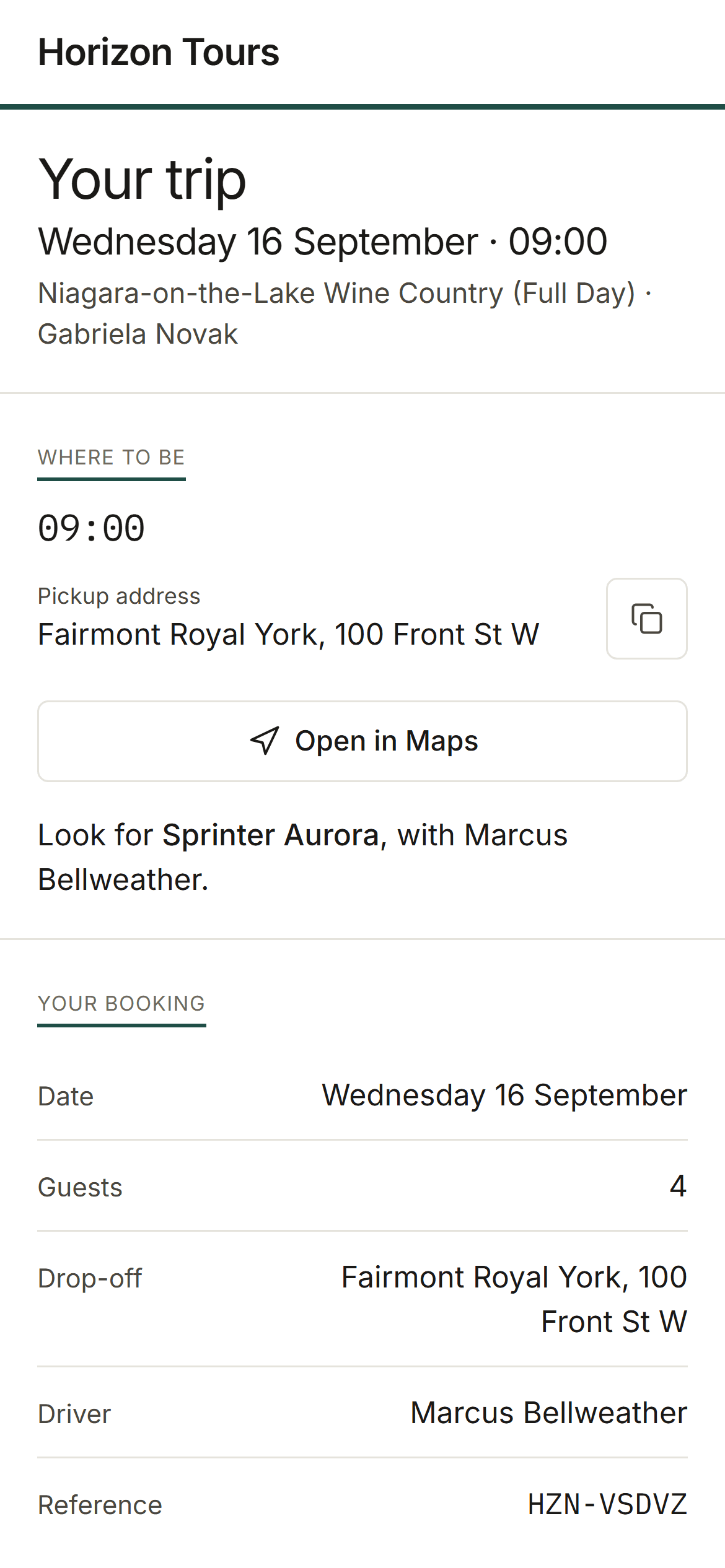
The guest ticket
What they booked, when and where to be, what to bring and who to call. It is the last thing a guest looks at before they meet you, it carries your name, and it costs you nothing to send.
Just as importantly
What FleetDesk does not do.
The things it deliberately leaves alone, on the page rather than buried in a help centre. If one of these is what your business runs on, that is worth knowing this afternoon rather than in week three of a migration.
It does not sell seats to the public
There is no booking widget for your website and no per-seat availability calendar. FleetDesk is built around the shape private work arrives in: someone asks, you price it for their group, they put a deposit down, you run the day. If your business is instead publishing fixed departures that strangers buy a single seat on, a checkout-first platform genuinely fits you better, and it is cheaper for both of us to say that now.
It will not sell you through someone else’s marketplace
There is no reseller integration and no marketplace built in. If part of your booking volume depends on OTA distribution wired straight into your software, you will need to keep running that channel on its own: FleetDesk only ever shows your own customer list to you, and nothing here quietly introduces them to an operator down the road.
It will not draft a reply to your customer
Nothing in FleetDesk reads a customer message and writes one back in your name, and nothing you type into it trains a model or leaves the product to improve one. If you are shopping for an assistant that carries the conversation for you, this is not that. What goes out under your brand is what you wrote.
It will not calculate your tax
You set a currency and FleetDesk formats money in it, and that is the extent of it. If your business needs VAT, HST or sales tax computed and applied per booking, you need a system built around your jurisdiction, and your accountant keeps the job of being right about it either way.
The fastest way to check any of this is to open it.
14 days free, no card, no call booked with anyone.