A walkthrough
See it working before you sign up.
FleetDesk is dispatch software for tour operators. This is the product itself, in the order a week actually happens: your tours, the enquiry, the quote, the deposit, the day on the board, the driver's run sheet and the guest's ticket. No form to fill in and no call to book.
Horizon Tours is an invented operator. The company, its customers and its trips do not exist; the screens are real.
Your first hour
Four questions, then you are running.
Signing up asks for your email and sends you a link. There is no card step and no plan step, and the wizard on the other side of that link asks four things.
- 01
Your company
The name that goes on a quote, the clock you work on and the currency you charge in. The timezone your browser reports is offered as a suggestion you can correct, and nothing else is guessed from it.
- 02
Your tours
What you sell, under your own names, with a duration, a seat count, a price and a deposit. This is the step that matters: everything afterwards points back at this list.
- 03
Your vehicles
Names and seat counts. They become the columns on your dispatch board and the number that stops nine people being put in an eight-seater.
- 04
Your drivers
Names and phone numbers. Each one can be handed a run sheet link on the day, and drivers are free and unlimited on every plan.
One tour, one vehicle and one driver is enough to take a real booking. Everything else can wait until you need it.
Then the work arrives
One booking, from the message to the money.
Five screens, in the order you would meet them. Every one of these is in the trial from the moment you sign in, on the cheapest plan.
Horizon Tours is an invented operator. The company, its customers and its trips do not exist; the screens are real.
A booking carries the trip name you gave it rather than a generic slot your own staff have to translate. Each tour holds the duration, the seat capacity, the price and the deposit you actually charge, and a default pickup so the address you type most is typed once.
app.fleetdesk.co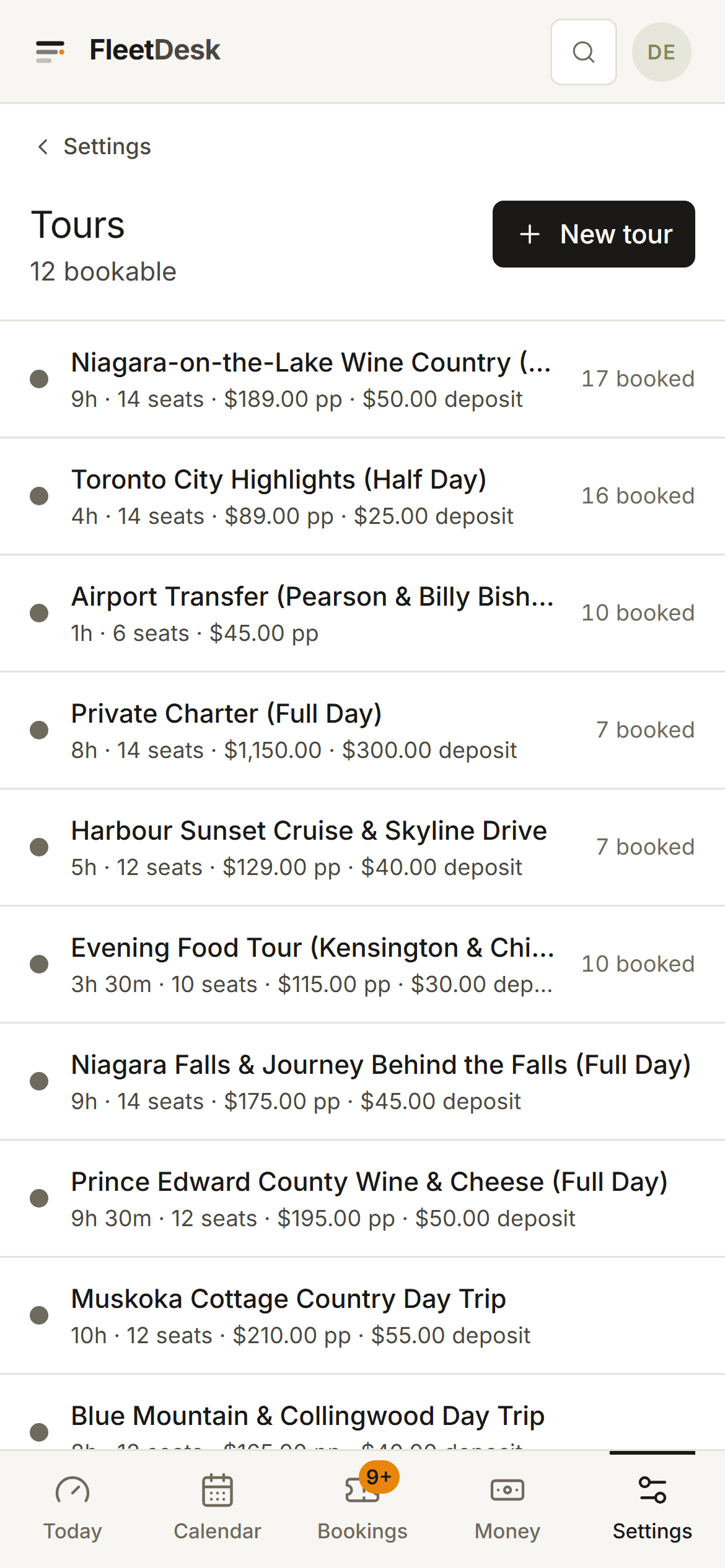
Someone asks about a date, by phone, by WhatsApp or through your own website form. It becomes a record with a name on it and stays visibly unanswered until you deal with it. An enquiry is the same record as the booking it becomes, so nothing is retyped and there is no convert step to lose it in.
app.fleetdesk.co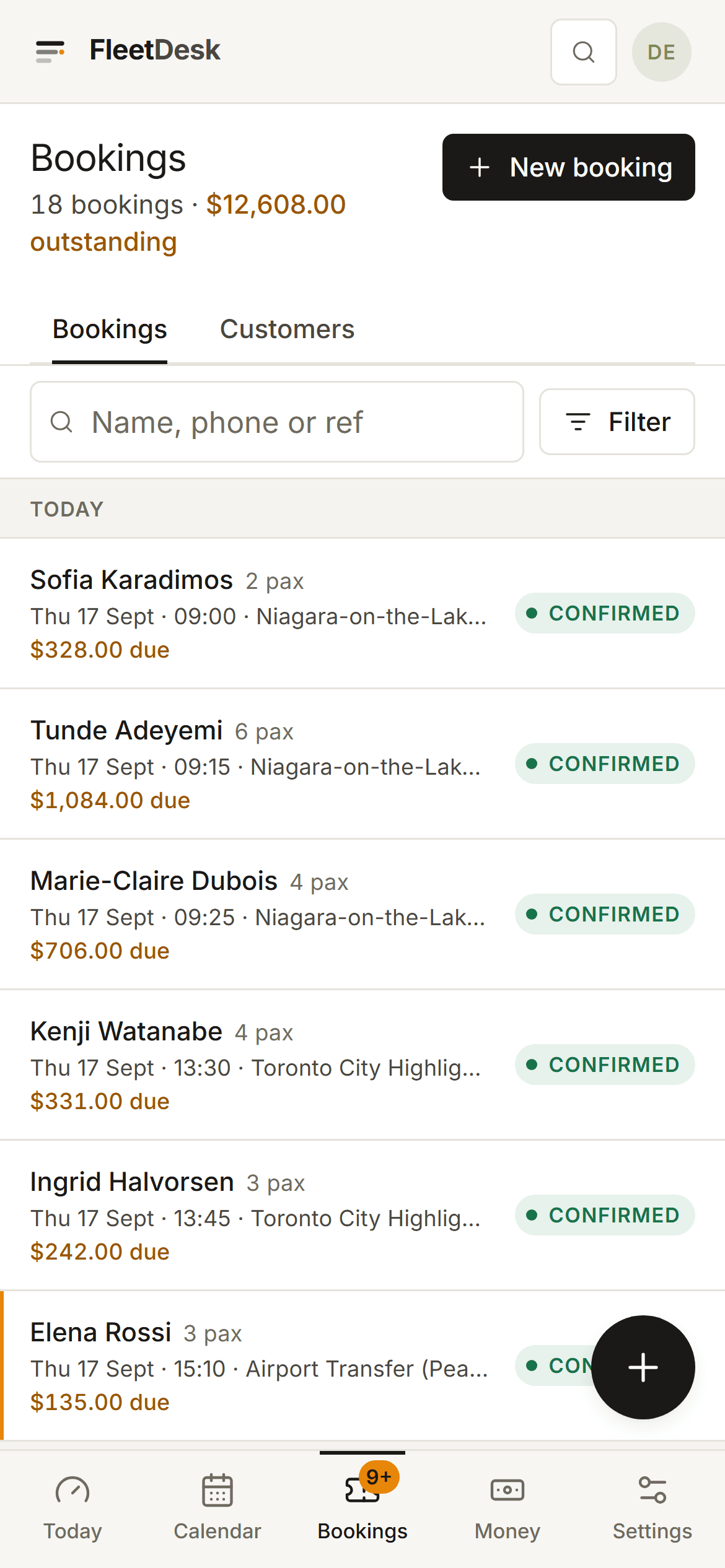
Columns are your vehicles. Work with no van yet piles up in the amber lane on the left and never hides. Drag a group onto a run, or pick from a list that tells you why a run cannot take it: no seats left, only three seats left, private hire already taken. Several groups can ride one vehicle and the seat count is enforced by the database, not by everyone remembering.
app.fleetdesk.co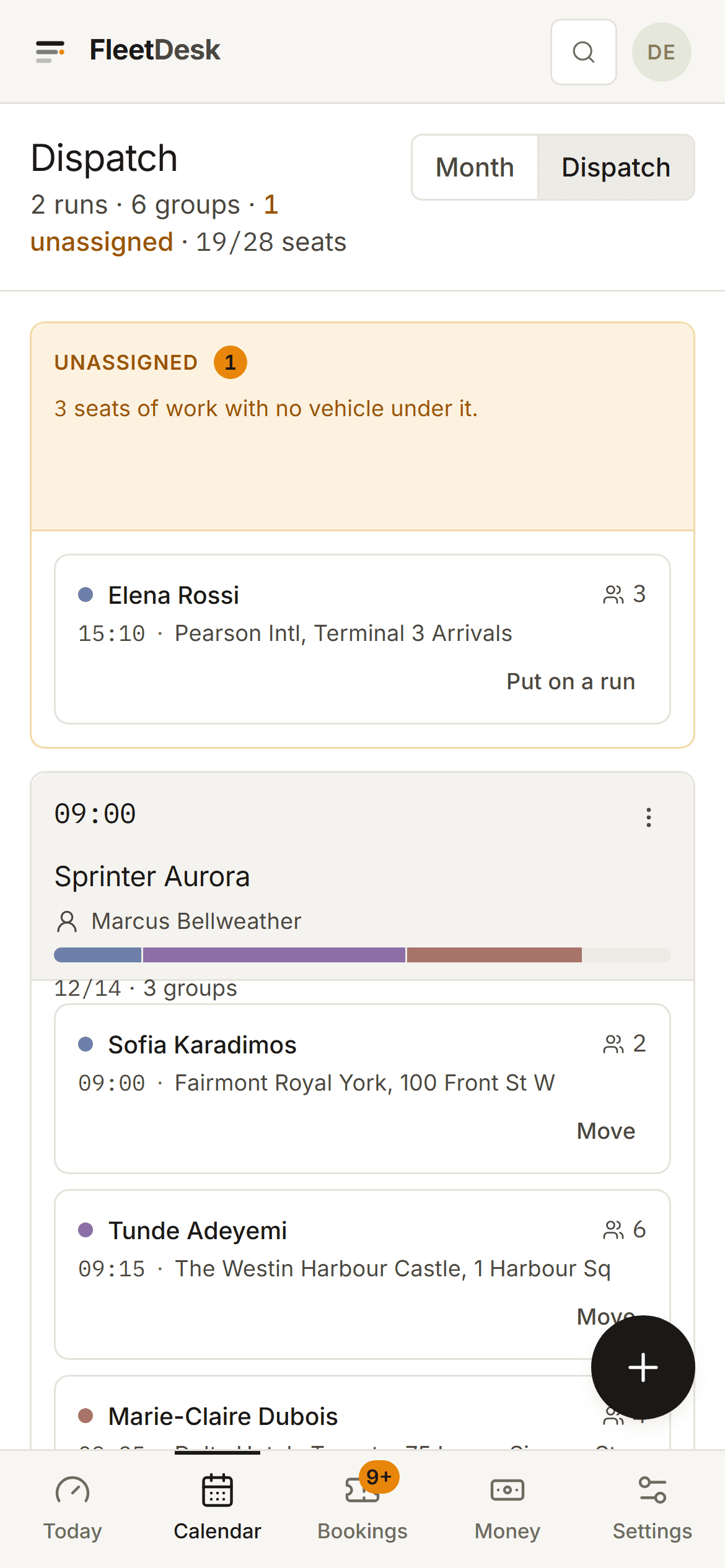
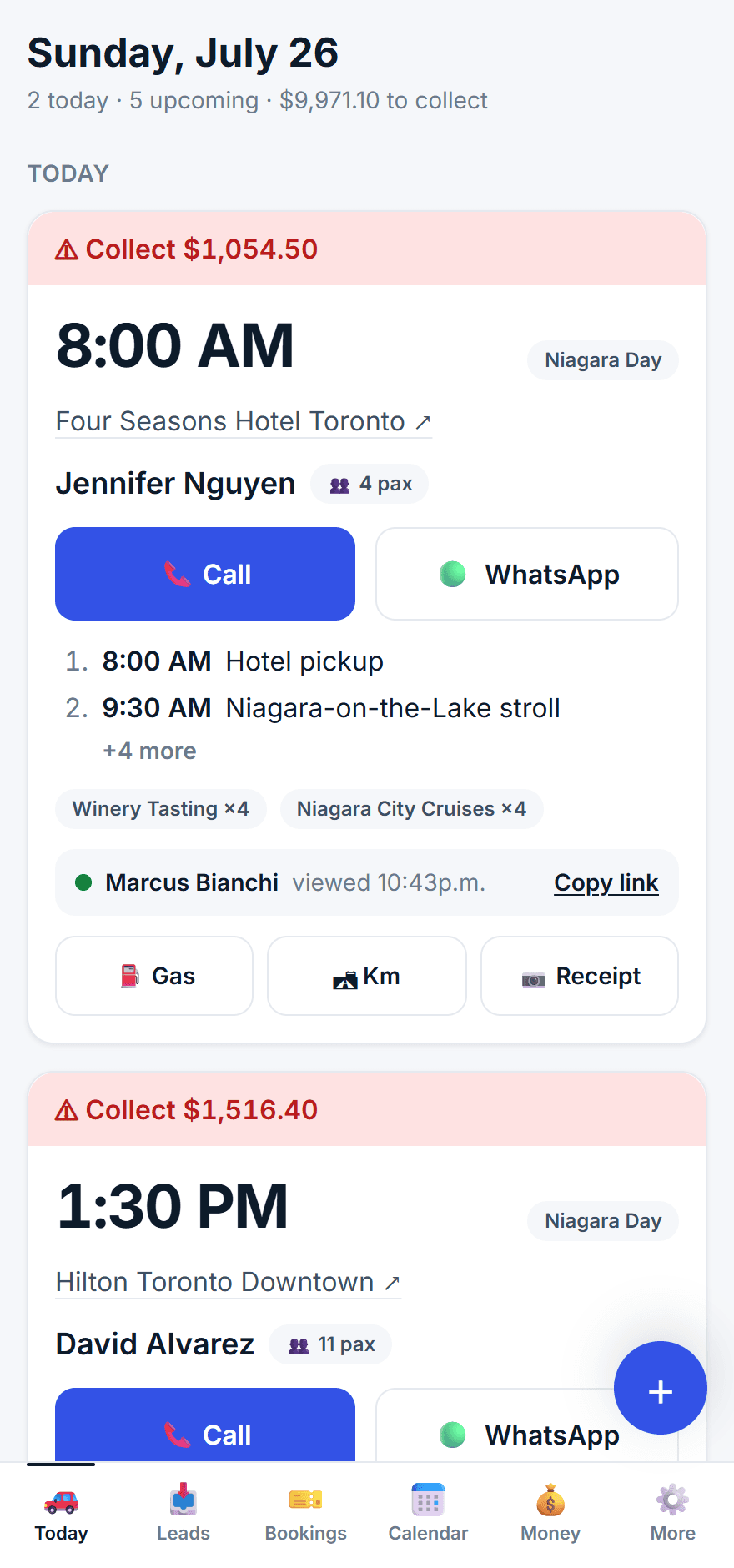
One screen at 6am that answers whether you know where every van is going and who is driving it. The five things that are wrong are ranked at the top with the button that fixes each one: enquiries nobody has quoted, agreed work with no vehicle, quotes gone quiet, a run with no driver, a trip that ran and was never paid for.
app.fleetdesk.co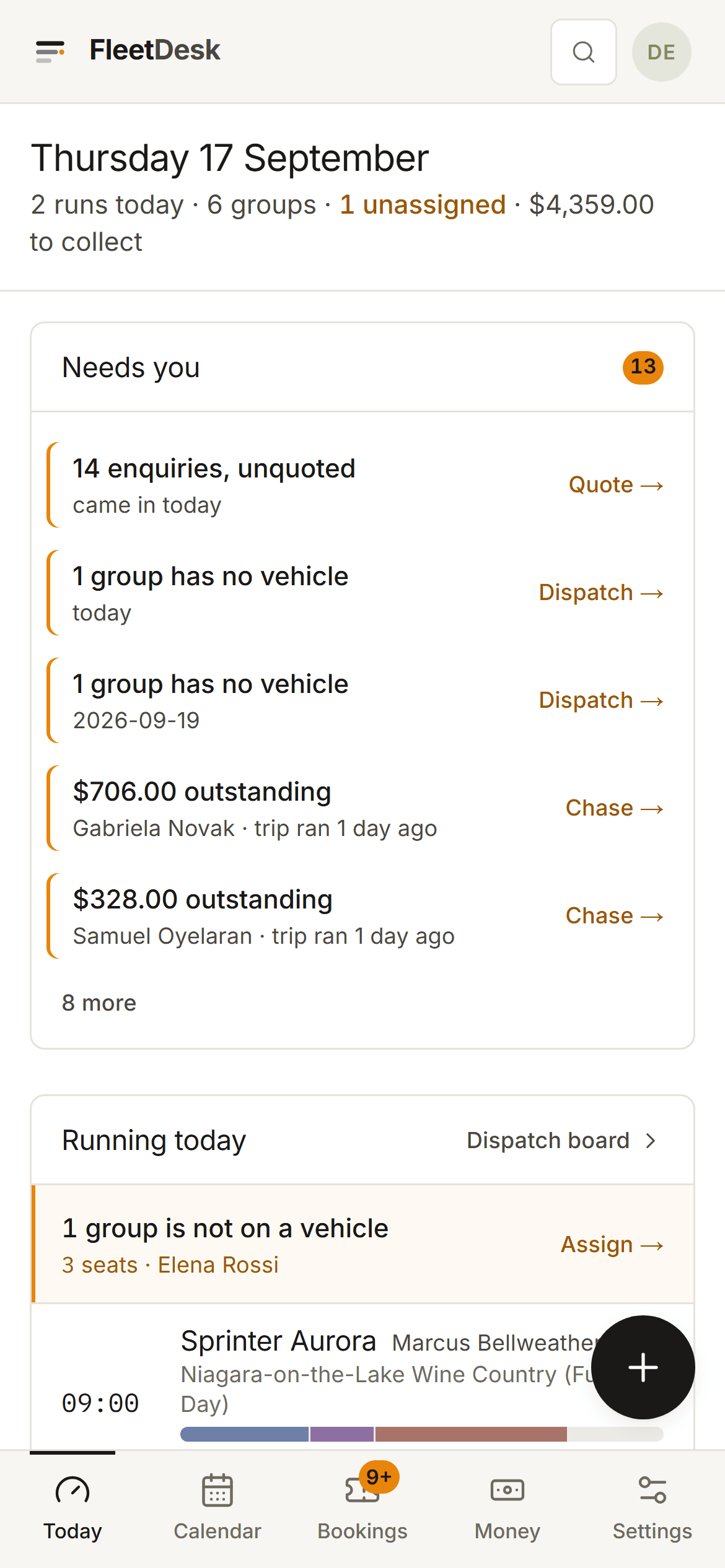
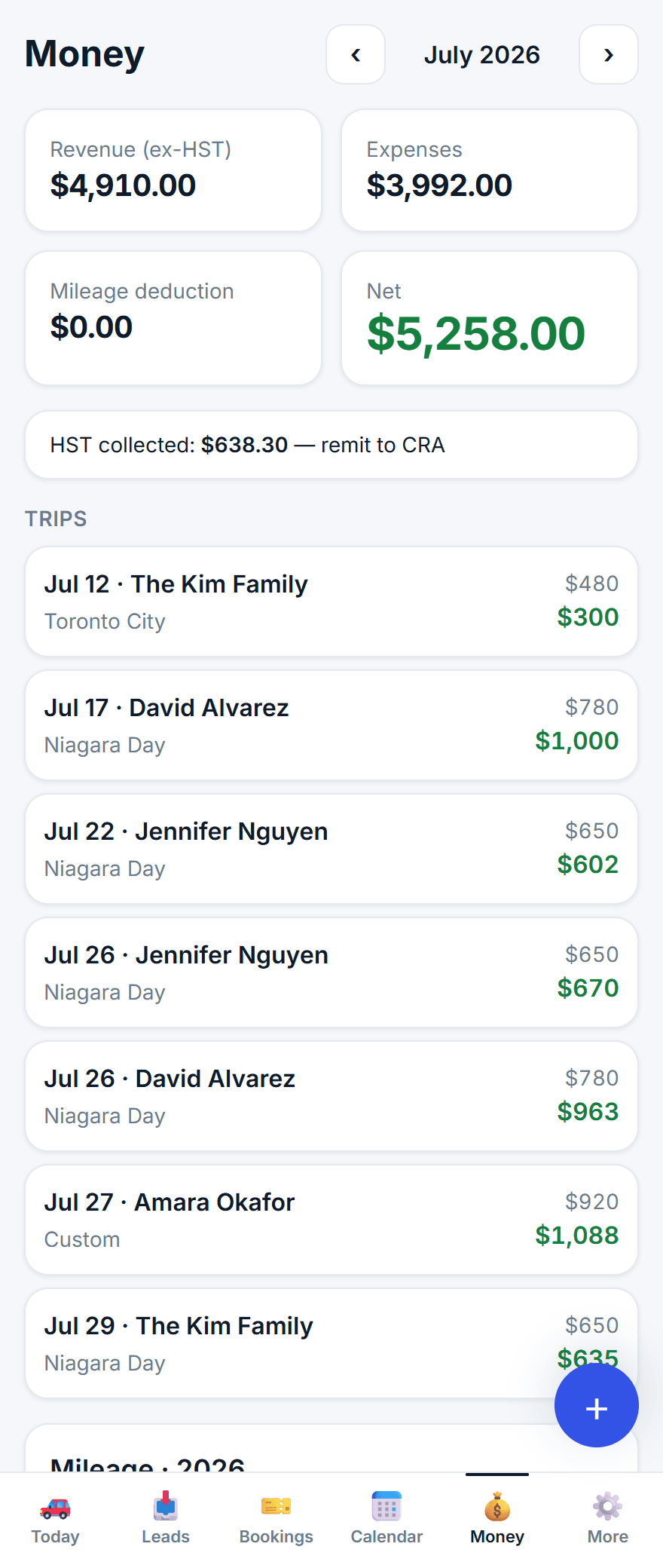
Revenue, deposits taken, outstanding and expenses across the top, then every trip with its price, deposit, balance, driver pay and margin. Revenue counts confirmed and completed trips only, so quoted work cannot quietly flatter the figure. Two CSV files come out for your accountant.
app.fleetdesk.co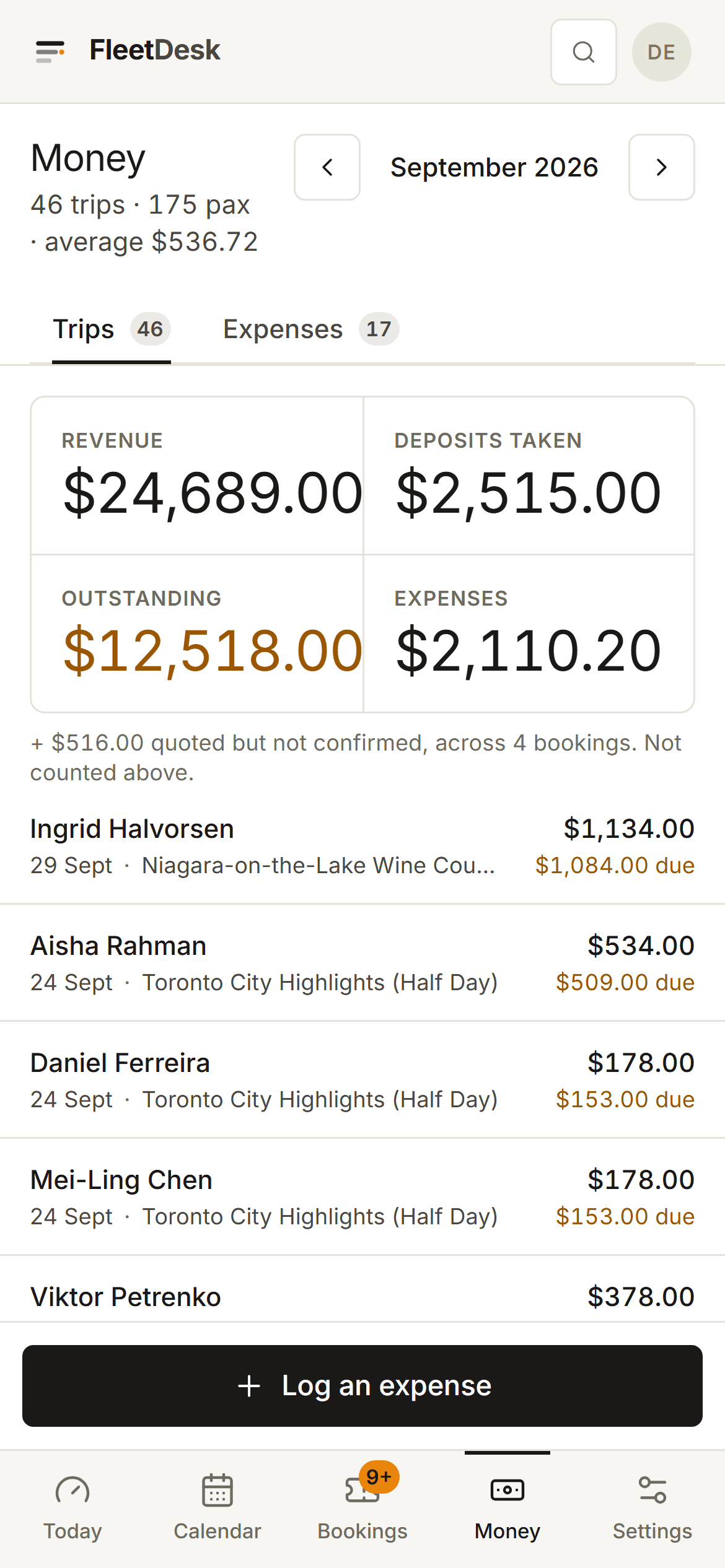


What leaves your hands
Three pages with your name on them, not ours.
The quote, the run sheet and the ticket are opened on a phone, at a kerb or on a sofa, by the people who judge you on them. They carry your logo and your colour on every plan, and FleetDesk is named once, in small print, at the bottom.
The quote they accept
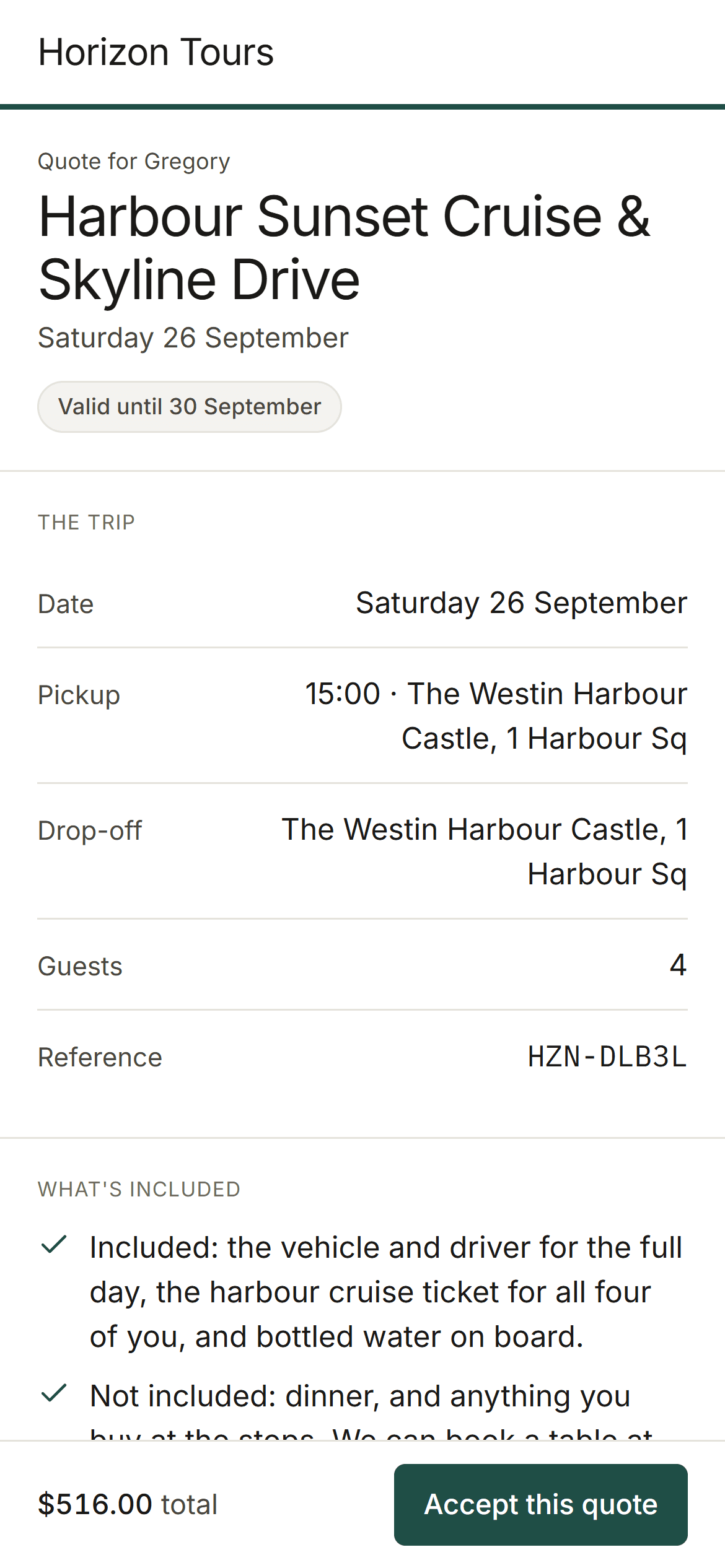
The trip, the date, the pickup, what is included, the total, the deposit and the balance, with one button. They accept from a sofa, the booking confirms itself and your own payment instructions appear.
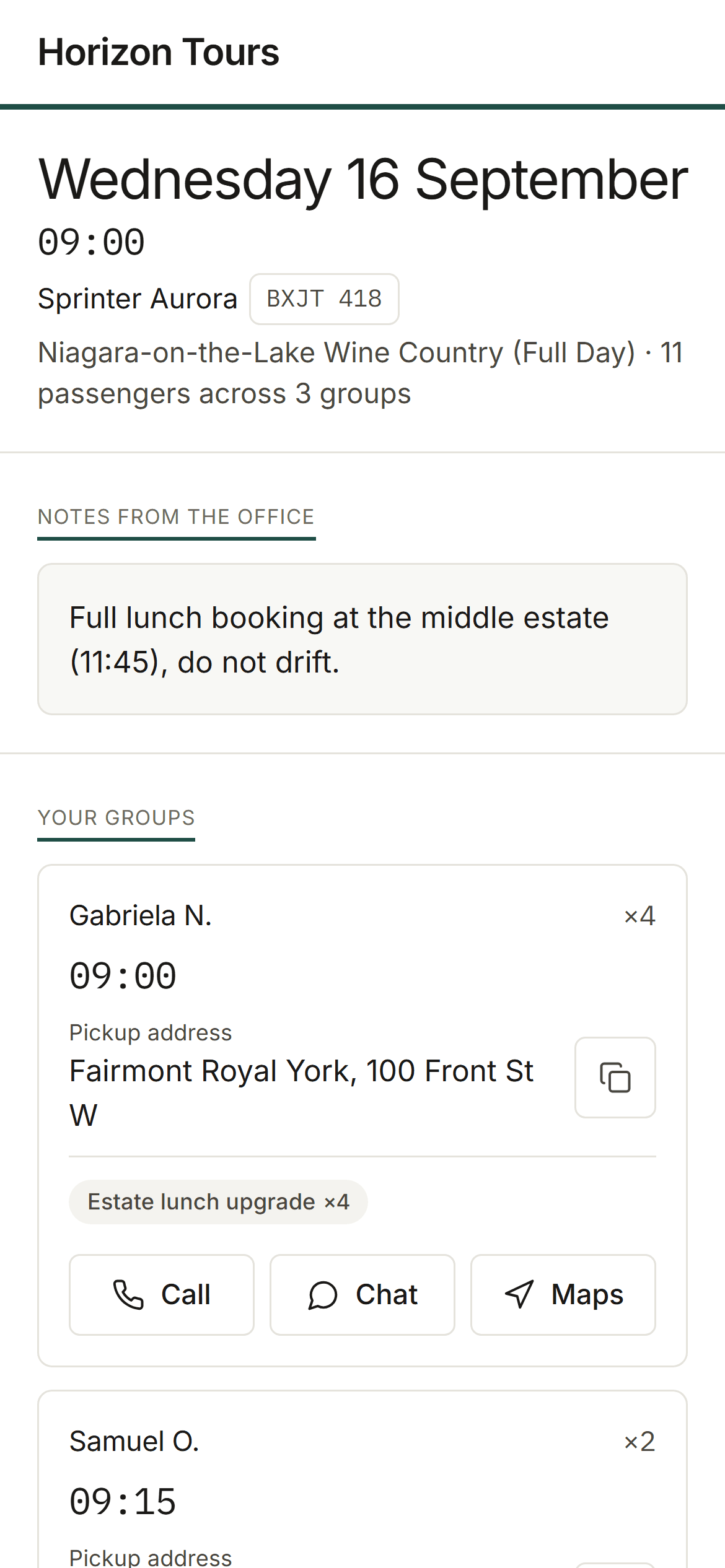
The run sheet the driver opens
Pickups in order with times, addresses, party sizes and a number to call. No app to install and no password to reset at 6am. It carries no prices at all: not the trip, not the deposit, not the driver pay.
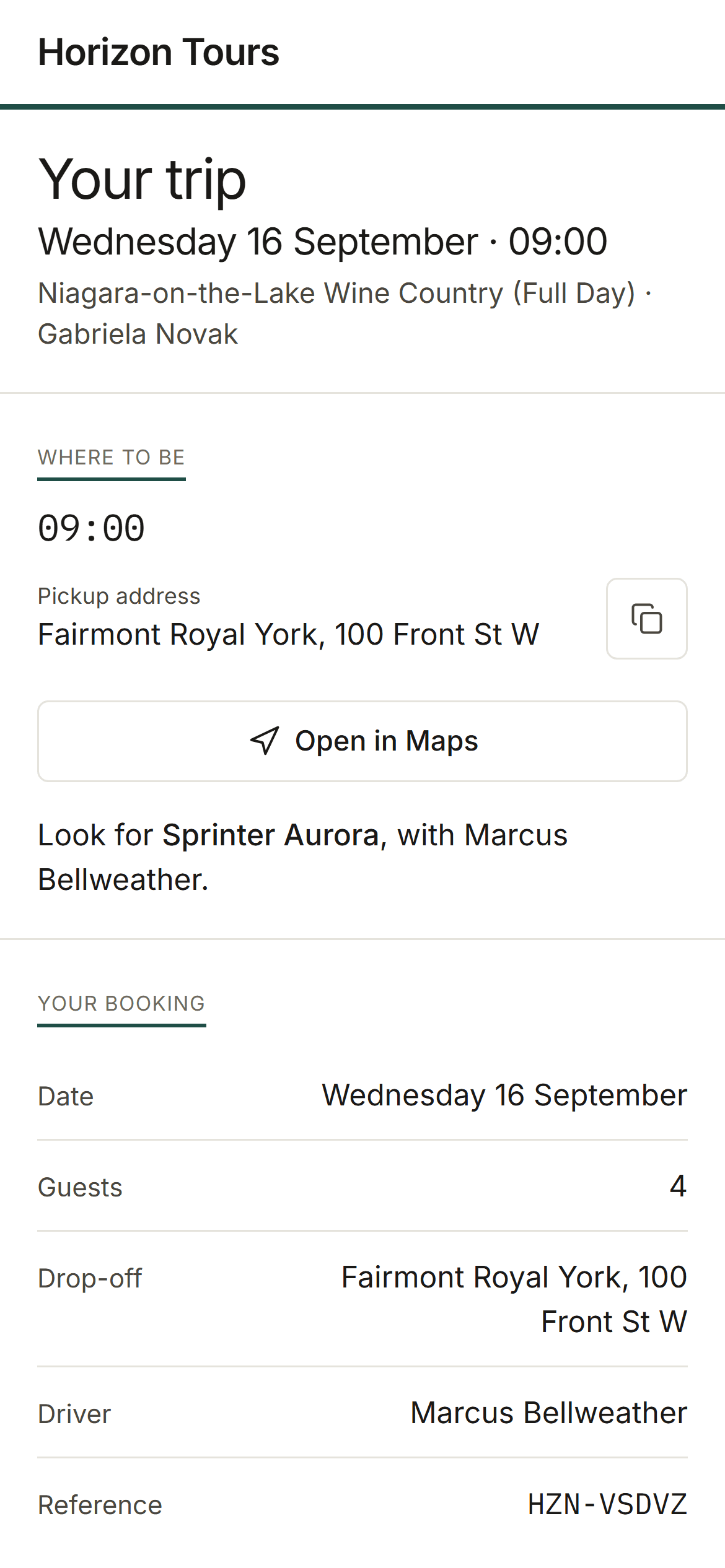
The ticket the guest holds
Where to be, which vehicle to look for and who is driving, the plan for the day, any attraction tickets they are carrying, and a button to call you. It is the last thing a customer looks at before they meet you.
Horizon Tours is an invented operator. The company, its customers and its trips do not exist; the screens are real.
Before you spend an afternoon on it
What you would not be getting.
Worth knowing now rather than in week three of a migration. If your business runs on one of these, something else fits you better and it costs us both less to say so here.
It does not sell seats to the public
There is no booking widget for your website and no per-seat availability calendar. FleetDesk is built around the shape private work arrives in: someone asks, you price it for their group, they put a deposit down, you run the day. If your business is instead publishing fixed departures that strangers buy a single seat on, a checkout-first platform genuinely fits you better, and it is cheaper for both of us to say that now.
It will not sell you through someone else’s marketplace
There is no reseller integration and no marketplace built in. If part of your booking volume depends on OTA distribution wired straight into your software, you will need to keep running that channel on its own: FleetDesk only ever shows your own customer list to you, and nothing here quietly introduces them to an operator down the road.
It will not draft a reply to your customer
Nothing in FleetDesk reads a customer message and writes one back in your name, and nothing you type into it trains a model or leaves the product to improve one. If you are shopping for an assistant that carries the conversation for you, this is not that. What goes out under your brand is what you wrote.
It will not calculate your tax
You set a currency and FleetDesk formats money in it, and that is the extent of it. If your business needs VAT, HST or sales tax computed and applied per booking, you need a system built around your jurisdiction, and your accountant keeps the job of being right about it either way.
The next screenshot would be your own.
14 days free, no card, no call booked with anyone. Your tours, your vehicles and a real booking inside an hour.