Quotes and deposits
How do I send a quote?
Open the booking, go to the Quote tab, write what is included, then press Save and copy link: FleetDesk, dispatch software for tour operators, mints a private web page carrying the trip, the price, the deposit and one Accept button, and you send that link by WhatsApp, by email or however you already talk to that customer.
You are sending a link, not a paragraph. The difference matters on a phone, where a price buried in a long message is a price somebody has to scroll back up to find.
The three buttons
- Copy link. Paste it wherever the conversation is happening.
- WhatsApp. Opens the thread with that customer with the message ready.
- Email. Fills in a message from your own template, which you read and edit before it goes, and sends it from your own address. Nothing writes to a customer in your name without you seeing it first.
What you control on the page
The "What is included" list, one line per point, is the part a prospect actually reads before deciding. Hotel pickup, tolls and parking, water on board: write it plainly. The price and the deposit are set on the booking itself rather than here, because two editable copies of the same number is how a customer ends up looking at a price you did not intend.
Checking it before it goes
The right-hand side of the Quote tab shows the real page at phone size, not a mock-up. It is the page they will open.
Knowing where it stands
The Quote tab tells you when the link was created, whether it has been opened and how many times, and when it was accepted. An unanswered quote drifts into the Waiting on them group of your pipeline, then into Going cold after a week.
Taking it back
Revoke stops the link working. Anyone who opens it afterwards gets a short page asking them to call you, rather than a broken address.
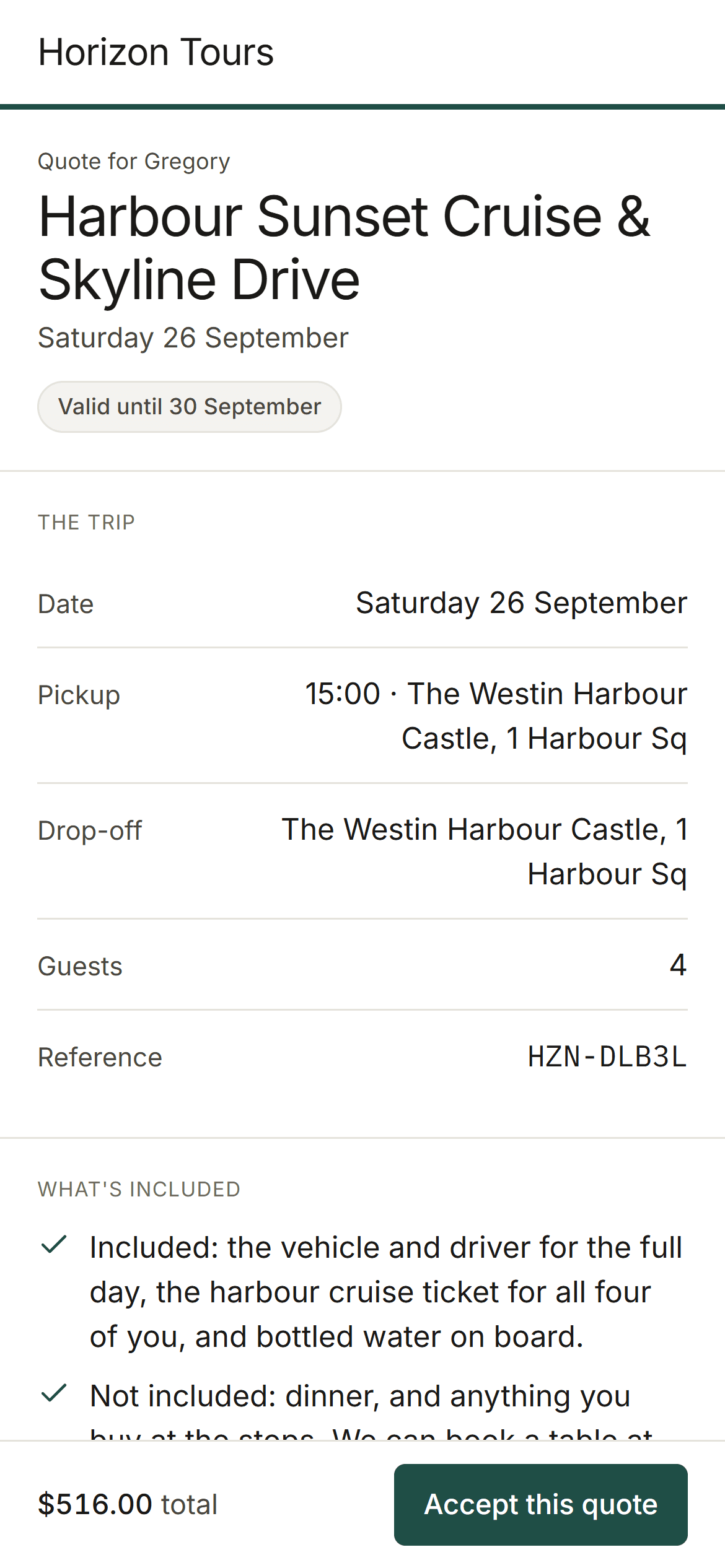
A screen from FleetDesk. The operator shown, Horizon Tours, is invented, along with its customers and its trips.
Checked against the product on 16 September 2026. Published by Max, founder and tour operator.