The money
How did last month actually go?
The Money screen in FleetDesk, dispatch software for tour operators, shows one month at a time with four figures across the top, revenue, deposits taken, outstanding and expenses, then every trip with its own price, deposit, balance, driver pay and margin underneath.
It is a ledger, not an accounting package. Enough to answer how the month went without opening a spreadsheet, and plain enough that your accountant does not have to argue with it.
The four figures
- Revenue. Confirmed and completed trips only. Work that is merely quoted is totalled separately, underneath, as quoted value that is not counted above. Folding the two together is how a revenue figure stops being true.
- Deposits taken in the month.
- Outstanding. What is still owed to you.
- Expenses. Trip costs and overheads together.
Alongside them: how many trips, how many passengers, and the average trip value.
The two tabs
Trips lists every job with date, customer, tour, party size, price, deposit, balance, driver pay and margin, and foots to a total. Expenses lists what the month cost, including anything a driver submitted from the road.
Months, not date ranges
Operators think in months, so the screen moves a month at a time rather than asking you to pick two dates.
No tax engine
The numbers shown are the numbers you entered. Nothing calculates VAT, HST or sales tax, and there is no tax column anywhere.
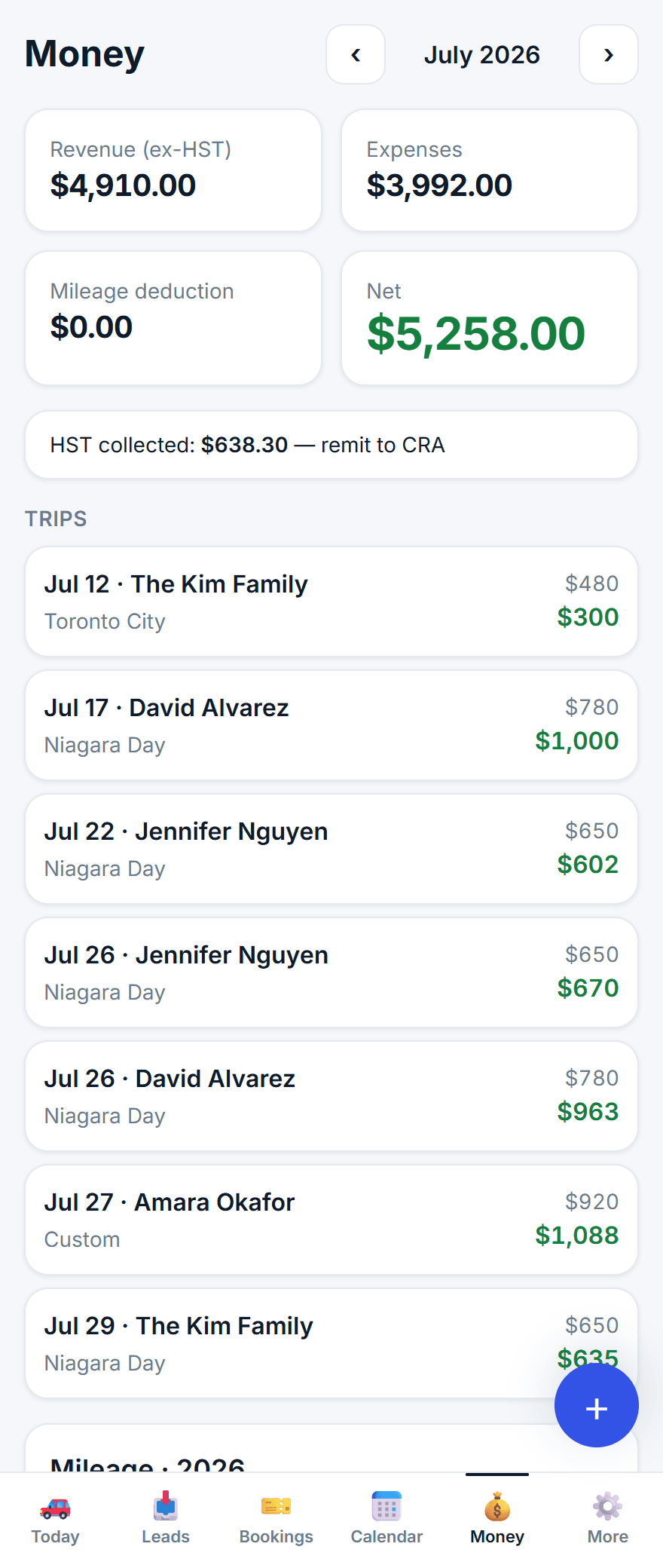
A screen from FleetDesk. The operator shown, Horizon Tours, is invented, along with its customers and its trips.
Checked against the product on 16 September 2026. Published by Max, founder and tour operator.